




Best 32-Inch Touchscreen Kiosk Software in 2026
Last updated: 12 May 2026
Most marketing teams still treat trade show booths as expensive, static real estate that sits largely dormant between events, yet a single 32-inch touchscreen kiosk running the right software can transform that same space into a lead-generating machine that works 24/7. The problem isn’t lack of technology, it’s that outdated platforms require coding expertise, expensive custom development, and unreliable Wi-Fi connections that fail precisely when you need them most. What if you could deploy a compact 32 inch touchscreen kiosk software solution in days instead of months, without touching a line of code, and have it work perfectly offline? This article walks you through the essential features of modern kiosk software, how to evaluate options for your specific booth setup, and why the right choice can increase your booth engagement by 30 to 40 percent. Keep reading to discover what separates market leaders from the rest, and how to avoid costly mistakes that waste your event budget.
Key Takeaways
- A 32-inch touchscreen is the optimal size for booth engagement, offering enough visual impact without overwhelming the space or requiring excessive foot traffic clearance.
- Interactive touchscreen kiosks draw 35 percent more visitors to booths compared to traditional static setups and increase dwell time by 30 to 40 minutes on average.
- No-code software platforms eliminate the need for expensive development teams and allow non-technical staff to build and update kiosk content in hours, not weeks.
- Offline-capable kiosk software is essential for trade shows where Wi-Fi is unreliable or unavailable, allowing full functionality without internet dependency.
Why 32-Inch Touchscreens Work Better Than Larger Displays
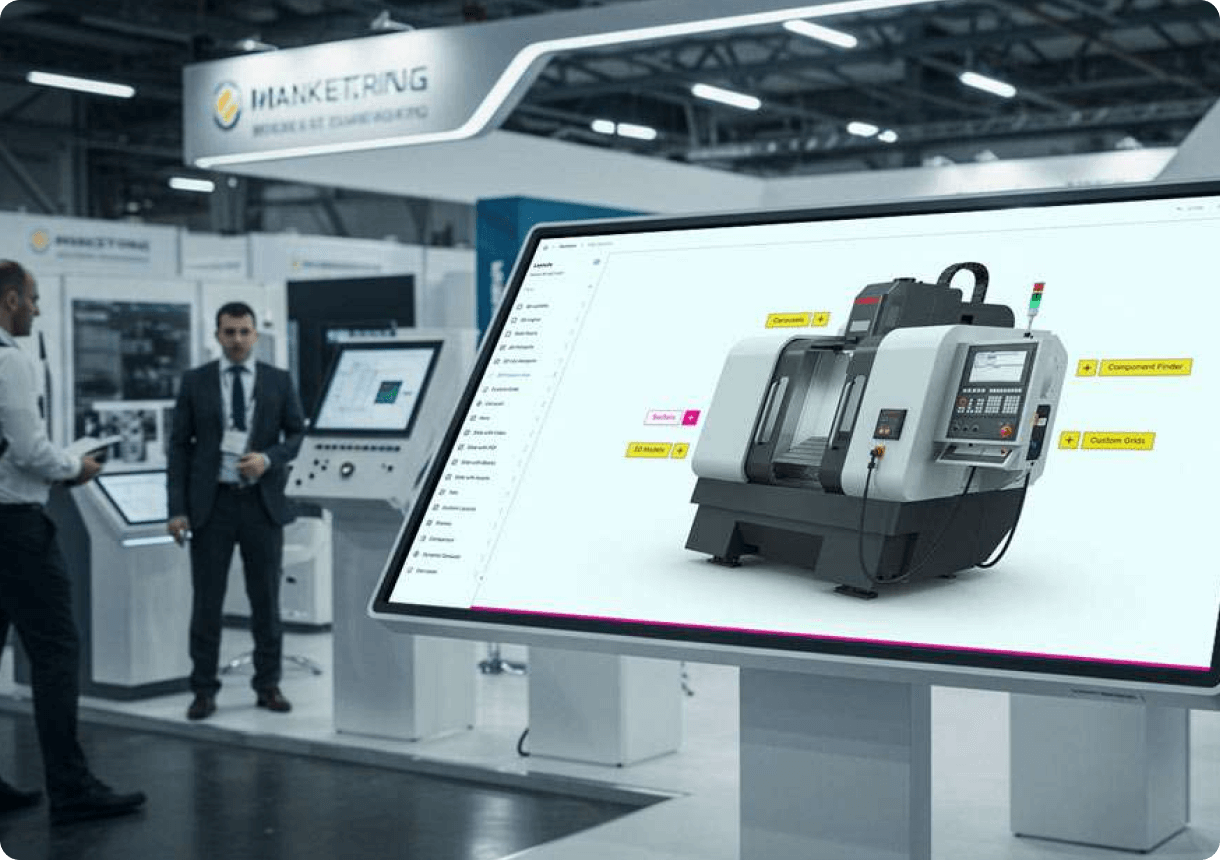
The first question most trade show teams ask is whether bigger is better, but 20 years of working with exhibition teams tells a different story. A 32-inch display sits at what we call the “engagement sweet spot,” large enough to command attention from across a booth corridor, yet compact enough to encourage visitors to step closer and interact without feeling crowded. The most effective booth layout uses a compact 32-inch touchscreen because it naturally draws visitors into a conversational distance, where your team can begin meaningful dialogue in seconds.
Larger 55-inch and 65-inch displays, while visually impressive, often create a barrier. Visitors treat them like television sets, staying at a distance and watching passively rather than touching and exploring. The 32-inch format invites interaction by its very scale, suggesting “come here and try this,” rather than “watch from over there.” Add to this the practical advantage: a 32-inch kiosk takes up far less booth real estate, allowing you to deploy multiple screens across different product lines or departmental zones without consuming your entire exhibition footprint.
From an engagement perspective, interactive trade show booths achieve average dwell times of 5 to 12 minutes per visitor, compared to roughly 45 seconds for passive displays. That’s a 10 to 15 times longer window for your sales team to capture attention and start a conversation. Booths with interactive screens draw 35 percent more visitors compared to traditional setups, and visitors remember these experiences. 81 percent of attendees remember booths featuring interactive touchscreens, a critical metric when your goal is post-event follow-up and pipeline development.
Core Features to Look for in Kiosk Software
Not all touchscreen kiosk software is created equal, especially when you’re working with a compact 32-inch display where screen real estate and user experience become critical constraints. Here are the non-negotiable features your platform must have:
Intuitive Content Authoring Without Code
Your marketing team needs to build and update content without waiting for developers. Drag-and-drop interfaces, pre-built templates, and visual editors let anyone on your team create professional layouts in minutes. If your software requires HTML knowledge or SQL experience, you’re looking at the wrong platform, and your team will resent you for it.
Multi-Media Support and Lift-and-Learn Experiences
A 32-inch kiosk should showcase your brand through videos, high-resolution product images, interactive maps, PDFs, and embedded product demos. The best platforms let visitors explore content at their own pace, drill into detail, and zoom in on specifics that simply cannot be shown on a static brochure. How to customize touchscreen interfaces for tradeshows becomes significantly easier when your software supports rich media natively and doesn’t require workarounds.
Lead Capture and Direct-to-Attendee Delivery
The ability to capture visitor information and send materials directly from the booth to their email or mobile device during the event creates an immediate post-event advantage. Visitors should be able to request brochures, schedule follow-ups, or opt into your mailing list with a few taps. This transforms passive browsing into qualified lead collection.
Analytics and Content Tracking
Which content drew the most interaction? How long did visitors spend on each screen? What materials were sent and opened after the event? These insights inform your next booth strategy and prove event ROI to your finance team. A robust kiosk platform tracks user behavior and gives you reports showing which features resonated and which fell flat.
No-Code Platforms vs. Custom Development
The traditional approach to touchscreen kiosk software involved hiring a development team, writing specifications, undergoing months of build and testing, and paying six figures for a solution that often arrived weeks after your event. That world no longer exists, and frankly, any platform still pushing custom development in 2026 is playing on outdated fears.
No-code platforms like POPcomms were purpose-built for this exact scenario: marketing teams, event managers, and exhibitors who need fast deployment, easy updates, and zero technical dependency. No-code touchscreen kiosk software eliminates expensive custom development and allows non-technical team members to build, test, and deploy interactive experiences in days instead of months. One CLD Inc. marketing director put it plainly: “With other companies, you might get 60 percent of what you want. With POPcomms, I got 100 percent, everything I wanted and more. It’s impressive how exact everything was. Even internally, doubts were quickly dispelled as we realized POPcomms delivered on its promises.”
The cost difference is staggering. Custom development for a single kiosk experience easily runs 15,000 to 50,000 pounds in consulting and programming time. No-code platforms operate on a straightforward subscription model, often costing a fraction of one custom project, and you gain the ability to create unlimited experiences. Your team isn’t locked into a dependency on external developers; they own the platform and can iterate freely. When you need to update content for a different event or region, you do it yourself in hours, not weeks.
Offline Capability: The Dealbreaker Feature
Ask any exhibition manager about Wi-Fi at trade shows and you’ll get a laugh followed by a horror story. Event centers promise connectivity, then 10,000 attendees hit the network simultaneously and everything grinds to a halt. If your compact 32-inch touchscreen kiosk software requires internet to function, you’re setting yourself up for failure on day one.
Offline-capable touchscreen kiosk software allows full functionality without internet connectivity, making it the only viable option for trade shows where Wi-Fi is unreliable or unavailable. The best platforms are purpose-built for events. They work standalone, installed directly on the touchscreen hardware with no cloud dependency. Your content, videos, product images, and lead capture tools all function flawlessly whether the venue’s Wi-Fi is working or not. When someone wants to send you their contact information, it’s stored locally and synced once connectivity returns.
This offline-first design is one reason touchscreen software with offline capability has become the industry standard for serious exhibitors. One GEA team member noted, “With four touchscreens, we could present four unique experiences across departments, which brought a lot of traffic and engagement to our booth. Tracking what materials were sent and opened afterward has been very useful for us.” That capability exists because the platform was built for real-world event conditions, not theoretical cloud-first scenarios.
Lead Capture and Post-Event Tracking
The most underrated feature of modern kiosk software is post-event lead intelligence. Your booth can generate hundreds of interactions, but if you can’t track which materials visitors requested, what they clicked on, and whether they opened your follow-up email, you’ve wasted the opportunity.
A high-performing compact 32-inch touchscreen kiosk should include touchscreen software with lead capture tools that let visitors opt into communications, request specific brochures, or schedule demos directly from the screen. The backend should then show you: how many people completed each action, what content was most requested, and which follow-up materials were opened post-event. This closed-loop tracking bridges your event to your sales pipeline and proves that booth investment directly generated qualified leads.
One Olga Bryzgalova, Marketing Manager, remarked, “We love the ability to zoom in and show details that can’t be conveyed with a brochure. The interactive map is far more engaging than a static PDF, and sending materials directly from the booth to customers is invaluable.” That capability of direct material delivery transforms a booth visit from a passive information moment into an active lead qualification moment.
Real Results from Trade Show Teams
Statistics are useful, but real experiences from teams running 32-inch kiosks at actual events tell the true story. Here’s what we’ve learned from hundreds of booth deployments:
Engagement Lift Is Substantial and Measurable
68 percent of trade show attendees believe booths featuring innovative technology have limitless potential, signalling that visitors actively expect and reward tech-driven experiences. When you deploy an interactive touchscreen kiosk, you’re not just adding a feature, you’re meeting attendee expectations that have fundamentally shifted. Interactive elements boost engagement between visitors and exhibitors by around 50 percent. Attendees can browse content, explore products, and drill into detail at their own pace, no need to wait for a rep to become available. 84 percent of attendees feel more confident about brands that offer hands-on experiences, which means your interactive kiosk is actively building trust and brand perception during the event itself.
Visitor Behavior Changes Dramatically
Teams report that visitors don’t just glance at a 32-inch touchscreen, they engage with it. One mark Currier from CLD Inc., said, “At the show, people were just coming up, interacting, and swiping through. They loved the lift and learn. The ability to incorporate videos, PDFs, and demos made our booth stand out.” The self-service nature of touchscreen interaction transforms passive observers into active participants. Unlike static banners or brochures, interactive displays invite participation by design.
Internal Team Confidence Increases
When your booth team can show visitors exactly what you want them to see, at the pace visitors prefer, confidence rises. Your team stops trying to compress your entire story into 30 seconds and instead lets the kiosk handle the heavy lifting. A marketing manager noted, “We needed a solution that was truly user-friendly, something that anyone on our team could pick up and use without needing coding experience or specialized training. Simplicity and accessibility were absolutely key for us.” This accessibility removes friction and allows even junior team members to feel confident running the booth.
If you’re serious about maximizing your trade show investment, the decision is increasingly clear: find a compact 32-inch touchscreen kiosk software platform that runs offline, requires no coding, and integrates lead capture natively. Our services include consultation on exactly this decision, helping you match the right software to your booth objectives and event timeline.
Frequently Asked Questions
What size touchscreen is best for a trade show booth?
A 32-inch touchscreen is widely considered the optimal size for trade show booths because it draws visitor attention without overwhelming the space, encourages hands-on interaction naturally, and uses booth square footage efficiently. Larger screens often feel passive and create distance, while smaller screens lack visual impact.
Can touchscreen kiosk software work without Wi-Fi at events?
Yes, modern event-focused kiosk software like POPcomms is built to work completely offline. Content, videos, and lead capture all function without internet connectivity, with data syncing automatically once Wi-Fi becomes available. This is essential because venue Wi-Fi is unreliable at most trade shows.
How long does it take to create content for a 32-inch touchscreen kiosk?
With no-code platforms, non-technical marketers can build professional kiosk experiences in hours or days, not weeks. Drag-and-drop editors, pre-built templates, and drag-and-drop functionality eliminate the need for developers. Custom development, by contrast, typically requires 4 to 12 weeks and costs 15,000 to 50,000 pounds or more.
What information can touchscreen kiosks capture from visitors?
Modern kiosk software captures names, email addresses, phone numbers, company names, and job titles directly from the touchscreen. Visitors can also request specific brochures, schedule follow-ups, or opt into mailing lists. The platform tracks which content each visitor engaged with and how long they spent on each section.
Why do interactive touchscreen booths outperform static displays?
Interactive booths draw 35 percent more visitors, increase dwell time by 30 to 40 percent, and generate up to 35 percent more leads than passive setups. Visitors remember interactive booths (81 percent recall rate) and feel more confident about brands offering hands-on experiences (84 percent). The average interactive booth interaction lasts 5 to 12 minutes versus 45 seconds for passive displays, giving sales teams 10 to 15 times longer to engage.
Choosing the right compact 32-inch touchscreen kiosk software means moving from static booth displays to dynamic, lead-generating experiences that work whether the internet is available or not.
Take the next step today.

Related Posts
Multitouch Software for Large Format Displays
Read
3D Modelling Made Easy | POPcomms
Read
Pharmaceutical Event Touchscreen Platforms in 2026
Read
Install Interactive Touchscreen Display Software
Read