




Contactless Touchscreen Technology Software for 2026
Last updated: 12 May 2026
Most exhibitors assume that interactive technology at trade shows requires constant WiFi connectivity, expensive integrations, and months of development time. The reality in 2026 is completely different. Contactless touchscreen technology software has evolved into a plug-and-play solution that works entirely offline, requires zero coding knowledge, and can be deployed in days rather than months. If your booth currently relies on printed brochures, static displays, or passive signage, you’re losing out to competitors who understand how much visitors crave hands-on digital experiences. This article will walk you through exactly how contactless touchscreen technology software works, why it outperforms traditional booth setups by a significant margin, and how to choose the right platform for your specific needs in 2026.
Key Takeaways
- Booths with interactive touchscreen displays draw 35% more visitors and increase dwell time by 30-40% compared to traditional setups.
- Contactless touchscreen software works offline without losing any functionality, eliminating WiFi reliability concerns at events.
- 81% of attendees remember booths featuring interactive touchscreens, and 84% feel more confident about brands that offer hands-on experiences.
- No-code touchscreen platforms like POPcomms allow marketing teams to create and deploy interactive experiences without specialist programming or months of development.
What Is Contactless Touchscreen Technology Software?
Contactless touchscreen technology software is a digital platform designed to run interactive experiences on physical touchscreen displays without requiring a permanent internet connection. Unlike web-based solutions that depend on stable WiFi, contactless systems are installed directly on the device itself, meaning your content, videos, product demos, and lead capture forms all function perfectly in offline mode.
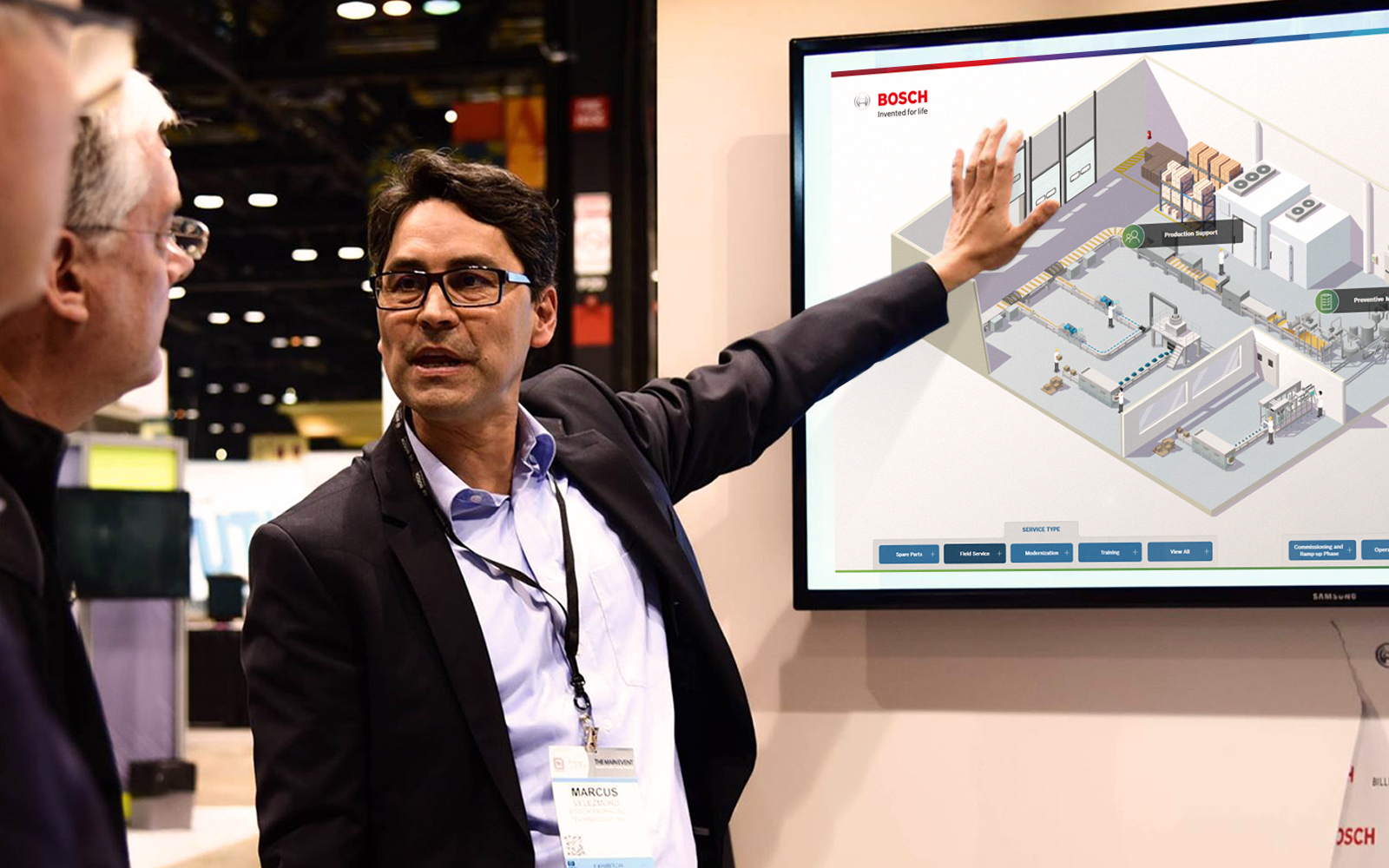
The term “contactless” refers to the interface itself—visitors engage with your brand through touch or gesture-based interaction rather than requiring a staff member to hand them materials or provide one-on-one explanations. This self-service model transforms passive booth visitors into active participants who control their own discovery journey at their own pace. They can browse product categories, watch videos, zoom into technical details, submit their contact information, and explore at length without waiting for a representative to become available.
In 2026, the best contactless touchscreen software platforms combine ease of use with powerful backend functionality. They allow you to upload videos, PDFs, interactive maps, product catalogs, and lead capture forms without writing a single line of code. The platform handles all the technical heavy lifting, deployment, and real-time analytics tracking. This democratizes interactive experiences, making them accessible to mid-size companies and smaller organizations that previously couldn’t afford the cost or complexity of custom-coded solutions.
Why Visitor Engagement Soars With Interactive Touchscreens
The data on visitor engagement is unambiguous. Booths with interactive screens draw 35% more visitors compared to traditional setups, and interactive displays can increase booth dwell time by 30–40% alongside lead capture increases of up to 35%. But numbers alone don’t tell the full story. I’ve spent two decades working alongside marketing teams at major events, and the shift in attendee behavior when they encounter a touchscreen is immediate and measurable.
68% of trade show attendees believe booths featuring innovative technology have limitless potential, signalling that visitors actively expect and reward tech-driven experiences. Your audience has come to an event specifically to discover new solutions and interact with brands. A brochure or banner meets them halfway. An interactive touchscreen invites them in and gives them control.
Interactive elements boost engagement between visitors and exhibitors by around 50%. The psychology is simple: when someone physically touches a screen, explores content at their own speed, watches a video demonstrating your product, or submits their information directly into your system, they’ve invested time and attention. That investment creates memory. Research shows that 81% of attendees remember booths that feature interactive touchscreens. Beyond memory, 84% feel more confident about brands that offer hands-on experiences. That confidence translates into qualified leads and stronger relationships.
The self-service nature of touchscreens is a big part of why they work so effectively. Unlike static banners or printed brochures, interactive displays invite participation and transform passive observers into active leads. Attendees can browse content, explore products, and drill into detail at their own pace, without needing to wait for a representative to become available. This is especially valuable during peak hours when your team is already engaged with other visitors.
According to EXHIBITOR Magazine research, interactive trade show booths achieve average dwell times of 5 to 12 minutes per visitor, compared to roughly 45 seconds for passive displays. That’s a 10–15x increase in the window your sales team has to start a meaningful conversation and move a lead forward in the buying cycle.
Offline Capability: The Game-Changer for Event Venues
One of the most common objections I hear from event organizers and exhibitors is: “WiFi at our venue is expensive and unreliable.” That concern is entirely valid. Large trade shows can host thousands of simultaneous users, bandwidth gets congested, and venue WiFi often throttles or disconnects during peak hours. This is where contactless touchscreen technology software proves its value.
Contactless touchscreen software built for events is installed directly on the physical display, meaning it functions without any internet connection while retaining full functionality—no features are disabled, no content is restricted, and no degradation occurs. Your product demos, lead capture forms, videos, interactive maps, and all other content work identically whether the device is online or offline. This reliability is non-negotiable at events where downtime directly impacts your ROI.
The practical advantage is enormous. You deploy your touchscreen, load your content onto the device, and it runs independently. Visitors can interact with your booth experience regardless of venue WiFi status. After the event, you can sync captured leads and analytics back to your CRM or marketing platform using any internet connection. For teams managing multiple booths across different venues, offline-first architecture eliminates a major source of stress and technical failures.
I worked with a multinational company recently that was running four touchscreens across different departments at a major trade show. They needed to present four unique experiences simultaneously. With our services, they could track what materials were sent and opened afterward, which proved invaluable for follow-up. The fact that each display worked independently, without relying on venue internet, meant they never had to worry about one connection failure cascading across their entire booth.
Key Features to Look for in Contactless Touchscreen Solutions
Not all touchscreen software is created equal. When evaluating contactless solutions for your 2026 event strategy, prioritize these essential features.
No-Code Content Creation and Customization
The ability to customize your touchscreen interface without coding is non-negotiable. Your marketing team should be able to upload videos, PDFs, product images, and interactive maps directly into the platform using a simple drag-and-drop interface. If you need a specialist programmer to make changes, you’ve chosen the wrong platform. In 2026, your team needs the flexibility to update content days before an event, adjust messaging based on current campaigns, and iterate based on what’s working. Platforms designed for events understand this reality.
Built-In Lead Capture and CRM Integration
A touchscreen that doesn’t capture visitor data is missing the entire point. Look for touchscreen software with integrated lead capture tools that allow visitors to submit their contact information directly from the booth. The platform should store this data securely, allow you to export it to your CRM in real-time, and provide analytics on which content pieces and product demos visitors engaged with most. This context makes your post-event follow-up infinitely more effective.
Offline Functionality That’s Genuinely Reliable
Ask the vendor directly: does the software work offline without losing features? Does it sync data back to the cloud when reconnected? Can it be preloaded with content before you arrive at the event venue? The answers should be unambiguous. Poor offline implementations can cause data loss, missing analytics, or degraded user experience. Test this extensively before committing to any platform.
Support for Rich Media and Interactive Elements
Video, PDFs, interactive maps, product galleries, and lift-and-learn capabilities (where visitors can tap to reveal additional details) transform a simple kiosk into a compelling brand experience. The software should allow you to integrate product demos directly into the touchscreen experience alongside supporting documentation and use cases. This combination keeps visitors engaged and educated without requiring constant staff involvement.
Real-Time Analytics and Reporting
You need to know what content resonates with visitors, how long they spend on each screen, which leads submitted contact information, and which materials were downloaded. Comprehensive touchscreen software with ROI tracking provides these insights immediately, allowing you to measure booth performance and optimize for future events. This data also proves the value of interactive technology to internal stakeholders and informs budget decisions.
How to Select the Right Platform for Your Brand
Choosing a contactless touchscreen software platform requires evaluating your specific needs alongside vendor capabilities. Here’s my framework for making this decision.
Define Your Primary Use Case
Are you deploying one touchscreen at a single booth, or managing multiple displays across different locations? Do you need portable touchscreen kiosk software that travels between events, or a permanent installation? Will you be showcasing product demos, collecting leads, providing product information, or a combination? Your use case narrows down the platform options significantly. A solution built for trade shows will have different strengths than one designed for corporate lobbies or healthcare waiting areas.
Assess Implementation Speed and Ease of Use
How long does it take to get your first experience live? With proper no-code platforms, you should be creating and deploying interactive content within days, not months. Ask for a demo. Request access to a free trial. Put your actual content into the platform and see if the workflow feels intuitive. If onboarding is complicated or requires extensive vendor support just to get started, move on to the next option.
Evaluate Vendor Support and Expertise
Vendors who specialize in events understand your constraints. They know that you can’t afford downtime during a trade show, that you need content updates on short notice, and that you’re balancing multiple competing priorities. Platforms built by generalists often lack this contextual understanding. Look for vendors with proven event experience, responsive support teams, and a track record of helping brands in your industry succeed. A case study from a comparable company is worth more than generic feature lists.
Compare Cost Models and Scalability
Touchscreen software pricing varies widely. Some platforms charge per-device licensing fees, others offer unlimited displays on a subscription basis. Some include support and content creation assistance, others position these as add-ons. Clarify the true total cost of ownership, including any platform fees, support costs, and content creation assistance. For small businesses or first-time adopters, affordable solutions without a massive upfront investment are critical.
Implementation and Support Considerations
Deploying contactless touchscreen technology software successfully goes beyond selecting the right platform. Implementation and ongoing support determine whether your investment delivers measurable results.
Pre-Event Setup and Testing
Allow adequate time to preload content, test offline functionality, and familiarize your team with the interface. Run through your entire booth experience—from the initial welcome screen through product exploration, video playback, interactive elements, and lead capture. Test on the actual physical display you’ll be using at the event, not just in a demo environment. Check that your branding, colors, fonts, and messaging all appear correctly. Verify that PDFs and videos load smoothly. Confirm that lead capture forms submit data properly.
Team Training
Your booth staff needs to understand how the touchscreen works, how to troubleshoot common issues, and how to guide visitors who need help. Most no-code platforms are intuitive enough that minimal training is required, but dedicate time to walk your team through the experience. This ensures they can confidently assist visitors and maximize engagement at the event.
Post-Event Data Management and Follow-Up
After the event, extract all captured leads and analytics from the platform. Import this data into your CRM immediately. Segment visitors based on which content they engaged with most heavily—this context makes personalized follow-up messages far more effective. Analyze which product categories, videos, or interactive elements generated the most engagement. Use these insights to refine your content strategy for the next event.
I’ve seen brands deploy touchscreen technology and capture hundreds of qualified leads, only to lose momentum because they didn’t have a process for immediate follow-up. The technology captures the data; your team’s execution determines whether those leads convert into customers. Treat post-event follow-up with the same rigor you applied to the booth itself.
Frequently Asked Questions
How fast can I create and deploy a contactless touchscreen experience?
With modern no-code software like POPcomms, you can create a functional touchscreen experience in days rather than months. Simply upload your content, customize the layout using a visual editor, and deploy to your display. Most teams are live within 5–10 working days, even when including internal review cycles and revisions.
What happens if the venue WiFi fails during my event?
Contactless touchscreen software installed on the physical display continues functioning perfectly without internet connectivity. All content, videos, lead capture forms, and interactive elements work identically offline. Your booth experience never stops, and attendee data syncs back to your CRM once internet is restored.
Why is touchscreen technology more expensive than static displays?
It isn’t. Modern no-code touchscreen platforms cost far less than the custom programming that used to be required. Before solutions like POPcomms existed, building interactive experiences required hiring specialized developers for weeks or months. Today, affordable touchscreen software delivers comparable functionality without the programming cost, making interactive technology accessible to organizations of any size.
Can I use the same touchscreen content across multiple displays?
Yes. Most platforms allow you to deploy identical experiences across multiple devices, or customize each display separately. This flexibility is valuable if you’re running multiple booths at the same event or managing a global event program. You can maintain core content consistency while tailoring messaging or product focus for different locations.
How do I know if touchscreen software will actually increase our lead capture?
The data is clear: booths with interactive touchscreens capture up to 35% more leads than passive displays, achieve 10–15x longer dwell times, and are remembered by 81% of attendees. Your specific results depend on content quality, booth traffic, and follow-up process, but the fundamental lift from interactive technology is well-established. Start with one display, measure results, and scale based on performance.
Creating interactive touchscreen experiences for events takes planning, the right platform, and expert support to maximize results.
Take the next step today.

Related Posts
Touchscreen Software Security for Events in 2026
Read
Can You Keep Content on an Interactive Touchscreen Display Updated?
Read
Why Conversational Presenting & Interactive Touchscreens Go Hand-in-Hand
Read
Improve Corporate Communications With Interactive Touchscreen Experiences
Read