




Affordable Touchscreen Software for Small Businesses
Last updated: 12 May 2026
Most small business owners assume that interactive touchscreen experiences are reserved for companies with enterprise budgets and dedicated development teams. The reality in 2026 is fundamentally different, and this misconception is costing you engagement, leads, and revenue at every event you attend. When attendees encounter a booth with touchscreens, they spend 10 to 15 times longer engaging with your brand compared to static displays, yet many small businesses still rely on printed materials and passive setups because they believe affordable touchscreen software doesn’t exist. The good news: it does, and it’s designed specifically for teams without coding expertise or unlimited budgets. In this article, you’ll discover how affordable touchscreen software works, why it matters for small business growth, and exactly how to choose the right platform for your needs. By the end, you’ll understand why delaying this investment is a missed opportunity your competitors are already capitalizing on.
Key Takeaways
- Touchscreen software no longer requires expensive custom development; no-code platforms now let small businesses create professional interactive experiences in days, not months.
- Interactive touchscreen displays draw 35% more visitors and increase dwell time by 30–40% compared to traditional passive booth setups, directly boosting lead capture.
- 81% of trade show attendees remember booths featuring interactive touchscreens, and 84% feel more confident about brands offering hands-on experiences.
- Affordable touchscreen software works offline without compromising functionality, making it ideal for events where reliable WiFi is unreliable or expensive.
Why Affordable Touchscreen Software Matters for Small Businesses in 2026
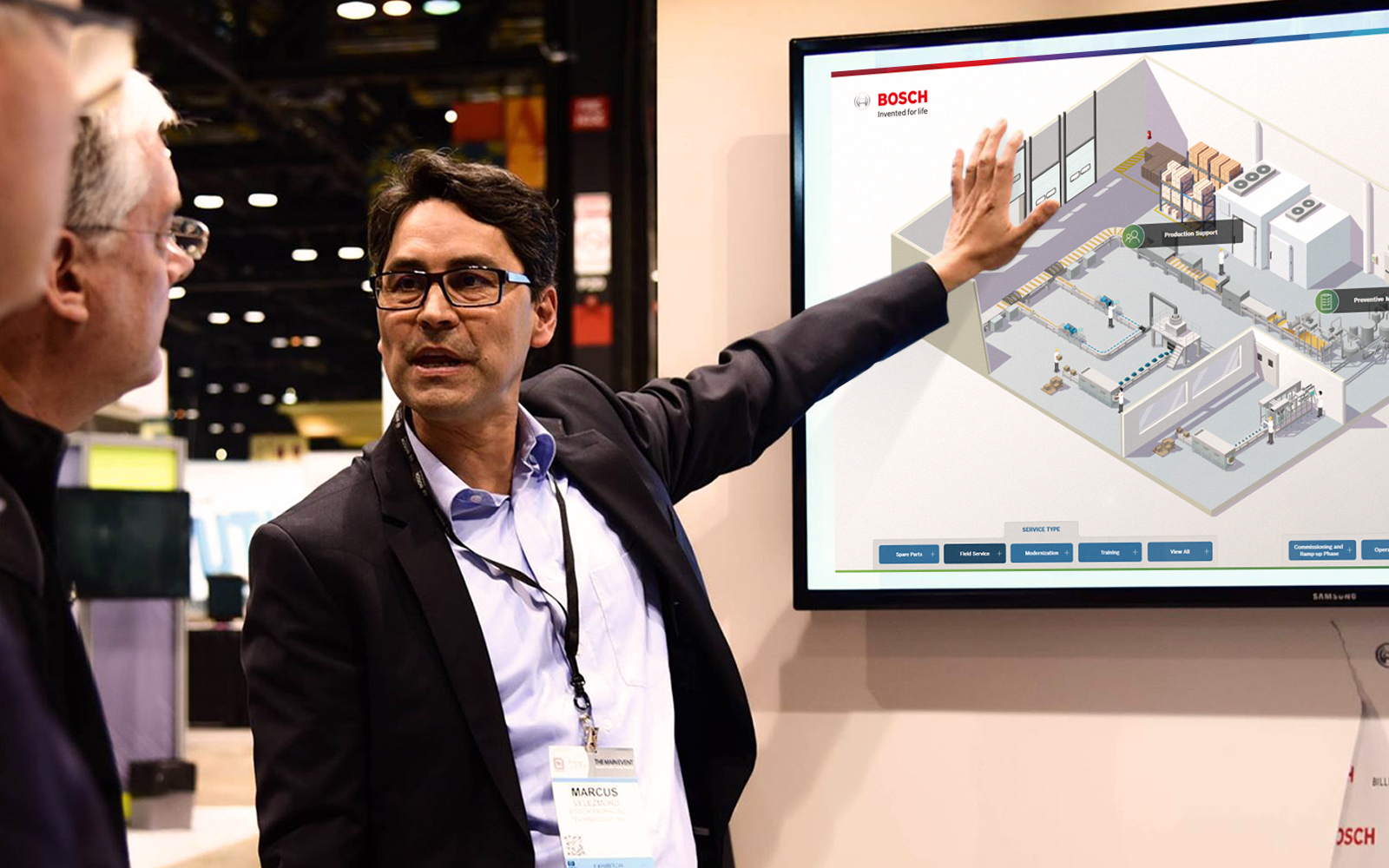
The most effective way to stand out at trade shows and events is to give attendees control over how they explore your brand through interactive touchscreen displays. When visitors can browse, click, swipe, and discover content at their own pace, they transform from passive observers into active leads. Unlike printed brochures or static banners, touchscreens invite participation, and that participation is measurable.
Booths with interactive screens draw 35% more visitors compared to traditional setups. But the real power lies in what happens during that engagement. Interactive displays increase booth dwell time by 30–40% and lead capture by up to 35%. For small businesses operating on tight margins, this translates directly into ROI: more people stopping by your booth, more time to have meaningful conversations, more qualified leads walking away with your information.
Here’s what makes this particularly relevant for small teams: 68% of trade show attendees believe booths featuring innovative technology have limitless potential. Visitors aren’t just tolerating interactive displays, they’re actively expecting them. They reward brands that offer hands-on experiences with attention, trust, and memory. In fact, 81% of attendees remember booths that feature interactive touchscreens, and 84% feel more confident about brands that offer hands-on experiences. For a small business competing against larger exhibitors, this is your competitive advantage.
The self-service nature of touchscreens is fundamental to why they work so well. Your sales team doesn’t need to be everywhere at once. Visitors can drill into product details, explore use cases, and decide what matters to them without waiting for a representative to become available. This is particularly valuable when you’re running a lean operation and can’t staff multiple conversations simultaneously. You gain a 10 to 12-minute window per visitor, per EXHIBITOR Magazine research, compared to roughly 45 seconds at passive displays. That’s your opportunity to convert.
The Real Cost Difference: Then vs. Now
Five years ago, deploying a professional touchscreen experience meant hiring a development team, writing custom code, and investing anywhere from £15,000 to £50,000+ for a single booth solution. You’d need software developers, project managers, and weeks of back-and-forth revisions. If you wanted to update content mid-campaign, you’d pay for additional development work. Many small businesses simply couldn’t justify the expense and settled for paper.
In 2026, this entire cost structure has changed, and it’s due to a single innovation: no-code software platforms designed specifically for this use case. With specialist software like POPcomms, experiences can be created in a fraction of the time they used to take. The no-code approach means you don’t need a programmer, you don’t wait months for delivery, and you avoid the five-figure development bills that once locked touchscreen experiences behind an affordability wall.
The transformation is straightforward: before POPcomms and similar solutions, touchscreen experiences usually needed to be programmed, which was expensive, time-consuming, and had to be done by a dedicated team. Today, a small business can build, customize, and launch an interactive touchscreen experience in days, often at a fraction of the previous cost. You own the process; you control the content; you make changes whenever you need to. Our services include templates, guided setup, and support that removes the guesswork.
How No-Code Solutions Lower Barriers to Entry
No-code doesn’t mean limited. It means accessible. When you remove the need for programming skills, you’re removing the primary barrier that kept small businesses out of the interactive technology space.
Consider what accessibility looks like in practice. Your marketing manager can log in, select a template, upload your product videos, add your brand colors, arrange your content layout, and publish a live experience without submitting a single request to IT or waiting for a developer. If you need to swap out a demo video or update pricing details the day before an event, you do it yourself in minutes. No tickets, no waiting, no cost overruns.
This democratization of touchscreen software matters because small businesses don’t have the luxury of weeks-long development cycles. You need speed. You need control. You need cost predictability. A platform built for ease of use delivers all three. Most teams find that after an initial familiarization period of 1–2 hours, they can confidently manage all future updates and customizations internally. This is how affordability meets functionality: you’re not paying premium rates for custom development because the software lets you do it yourself.
The learning curve is intentionally low. Good no-code platforms use drag-and-drop interfaces, pre-built layouts, and plain-English menus. Your team doesn’t need specialized training. Your brand-new employee can pick up the software quickly. Your non-technical marketing lead can be productive on day one. That accessibility is baked into the price point.
Key Features to Look for in Budget-Friendly Touchscreen Software
Not all affordable touchscreen software is equal. When evaluating options, prioritize these features to ensure you’re getting genuine value for your investment.
Lead Capture and CRM Integration
Affordable touchscreen software must capture attendee data directly from the booth and integrate with your existing sales tools. This is where the conversion happens. When visitors interact with your touchscreen, you need to know who they are, what they engaged with, and whether they accepted your follow-up materials. Look for platforms with built-in touchscreen software with lead capture tools that sync with email, CRM systems, or your sales database automatically. The ability to send materials directly from the booth to attendees is invaluable, as one marketing manager noted: this creates an immediate touchpoint and a trackable handoff that traditional booth setups simply can’t match.
Content Flexibility
Your affordable software should let you combine multiple content types: videos, PDFs, images, interactive maps, product demos, and text. A rigid platform that only handles static images or video is limiting. You need flexibility to showcase your products the way they deserve to be shown, with zoom capabilities to highlight details that can’t be conveyed in a brochure, interactive maps to help visitors navigate complex solutions, and the ability to layer content so visitors can drill as deep as they want to go.
Template Library
Templates accelerate launch timelines and reduce the learning curve. Platforms with pre-built layouts for common use cases (product showcase, service explorer, interactive map, lead capture form) let you go live faster without starting from a blank canvas. You’re not paying for design work; you’re inheriting best practices.
Multi-Screen Support
If you’re running multiple touchscreens in your booth, your software should manage them as a unified experience. With POPcomms, teams have deployed four touchscreens presenting four unique experiences across departments, which brought significant traffic and engagement while allowing centralized tracking of which materials were sent and opened afterward. This kind of scale should be available at an affordable price point.
Offline Capability: Why It Matters at Trade Shows
This is the question every small business asks: Offline touchscreen software works by running the entire experience locally on the device itself, eliminating dependence on WiFi connectivity without any loss of functionality or interactive features. WiFi at events is notoriously unreliable and expensive. Event venues charge booth exhibitors premium rates for bandwidth, and the infrastructure often can’t handle hundreds of devices competing for the same connection. Many exhibitors lose leads because their touchscreen froze, lagged, or lost connection mid-demonstration.
Robust affordable software must work offline. POPcomms is built specifically for tradeshow touchscreens and can be installed on a touchscreen so it doesn’t need the internet without any loss of functionality. This means your interactive experience runs smoothly regardless of WiFi availability. Your lead capture works. Your videos play. Your product demos function exactly as they did during setup. You’re not dependent on the venue’s infrastructure, and you’re not paying inflated event WiFi fees.
Offline capability also protects your investment in content. If the connection drops during a busy hour, you don’t lose leads; your visitors don’t notice a problem; your team keeps converting. This reliability builds confidence in your technology and lets your sales representatives focus on relationships rather than troubleshooting.
For small businesses running lean teams, this is non-negotiable. You can’t afford downtime at an event. You need software you can trust. Check touchscreen software with offline capability when evaluating platforms, and verify that offline mode includes all the features you’re planning to use, not a stripped-down version.
Choosing the Right Platform for Your Small Business
The decision framework is simpler than you might think. Start with these questions:
- Does the platform require coding? If yes, skip it. Affordable software is no-code software.
- Can you customize it without hiring a designer? Look for templates and drag-and-drop tools, not blank canvases that require professional services.
- Does it work offline? Non-negotiable for events. Verify explicitly before committing.
- Can it capture leads and integrate with your CRM? This is how you measure ROI. If lead capture requires additional setup or fees, factor that into your total cost.
- Is support included? When you hit a problem at 5 p.m. the day before your event, you need to reach someone. Verify support is responsive and included in your plan.
Beyond the checklist, look for evidence that the software works for businesses like yours. Case studies from similar industries, customer testimonials, and user reviews reveal what real teams experience after purchase. If you see patterns like “simple to set up,” “powerful results,” and “responsive support,” that’s a strong signal.
Pricing transparency matters too. Affordable software should have clear, upfront costs with no surprise add-ons. You should understand exactly what you’re paying for: the software license, support, training, and any content production services if you want them. Many platforms offer tiered pricing, so you can start small and scale up as you add more screens or events. This approach aligns perfectly with small business budgets: you invest proportional to your needs, and you grow the investment as the ROI becomes clear.
One final recommendation: request a demo. Most reputable platforms offer free trials or guided walkthroughs. Spend 30 minutes building a simple experience yourself. Does it feel intuitive? Do you hit dead ends? Are you confident you could manage this on your own? Your gut reaction during a demo often predicts your real-world experience post-purchase. If you need guidance, contact us to discuss your specific situation and learn how POPcomms has helped small businesses in your industry.
You can also explore www.popcomms.com blog for detailed guides on customization, industry-specific implementations, and best practices from experienced teams.
Frequently Asked Questions
What is affordable touchscreen software?
Affordable touchscreen software is a no-code platform that lets small businesses create interactive experiences on touchscreen displays without hiring programmers or paying five-figure development costs. Examples include POPcomms, which offers pre-built templates, drag-and-drop customization, and support for videos, PDFs, product demos, and lead capture, typically priced as a monthly subscription rather than a large upfront fee.
How much does touchscreen software typically cost for a small business?
Modern no-code touchscreen platforms typically range from £500 to £2,000 per month depending on features, number of screens, and support level, compared to £15,000–£50,000+ for custom development five years ago. Many vendors offer tiered pricing so you pay only for what you use, making it scalable for small teams and single-booth deployments.
Can I use touchscreen software offline at trade shows?
Yes, purpose-built trade show software like POPcomms runs entirely offline on the touchscreen device, eliminating dependence on WiFi without compromising functionality. Your videos, demos, lead capture forms, and interactive content all work perfectly whether or not the venue offers WiFi, protecting you from expensive event connectivity and unreliable signals.
Do I need coding skills to use affordable touchscreen software?
No. No-code platforms are designed specifically for non-technical users. Your marketing manager, event coordinator, or sales lead can set up, customize, and manage the software using drag-and-drop interfaces and templates. Most teams become proficient within 1–2 hours and handle updates independently afterward, saving on ongoing development costs.
What ROI should I expect from interactive touchscreen software?
Booths with interactive screens draw 35% more visitors, increase dwell time by 30–40%, and boost lead capture by up to 35% compared to passive setups. Additionally, 81% of attendees remember interactive booths, and 84% feel more confident about brands offering hands-on experiences. Most small businesses recover their software investment within 2–3 events through increased lead quality and conversion rates.
Building an engaging trade show booth without breaking your budget is now possible, but only if you choose the right software platform.
Take the next step today.

Related Posts

Touchscreen Features Guide | POPcomms
Read
5G Compatible Touchscreen Display Platform Guide
Read
Hybrid Event Touchscreen Software Solutions in 2026
Read
Manufacturing Tradeshow Interactive Software
Read