


By Damjan Haylor, CEO, popcomms. Updated November 2026.
Short answer: The five main hardware options for interactive displays are wall-mounted touchscreens, freestanding kiosks, touch tables, tablets and video walls. Choose the format for how visitors will use it, not the biggest screen you can fit: on a trade show stand, a reachable screen plus tablets usually works better than one very large display.
Start with the experience, not the screen
An interactive display has two parts: the hardware and the experience people explore on it. The experience decides whether visitors engage, so plan it first, then choose hardware that suits it. POPcomms runs in any browser on any operating system, so the same experience works on every option below. There is also an iPad app.
The five options compared
| Option | Best for | Strengths | Limits |
|---|---|---|---|
| Wall-mounted touchscreen | Stands and centers with little floor space | Saves floor space; visible across a hall | Tiring for long use; hard to reach for wheelchair users; little privacy |
| Freestanding kiosk | Easy to move and position | Comfortable height; movable; more private | Takes floor space; needs a stand or enclosure |
| Touch table | Groups exploring together | Several people at once; natural for discussion | Heavy and expensive to ship |
| Tablet | Reps and one-to-one conversations | Portable, familiar, private; works offline | Small for groups |
| Video wall | Attracting attention across a hall | Large-scale visuals, controlled from a touchscreen or tablet | Not for close-up touch; highest cost |
1. Wall-mounted
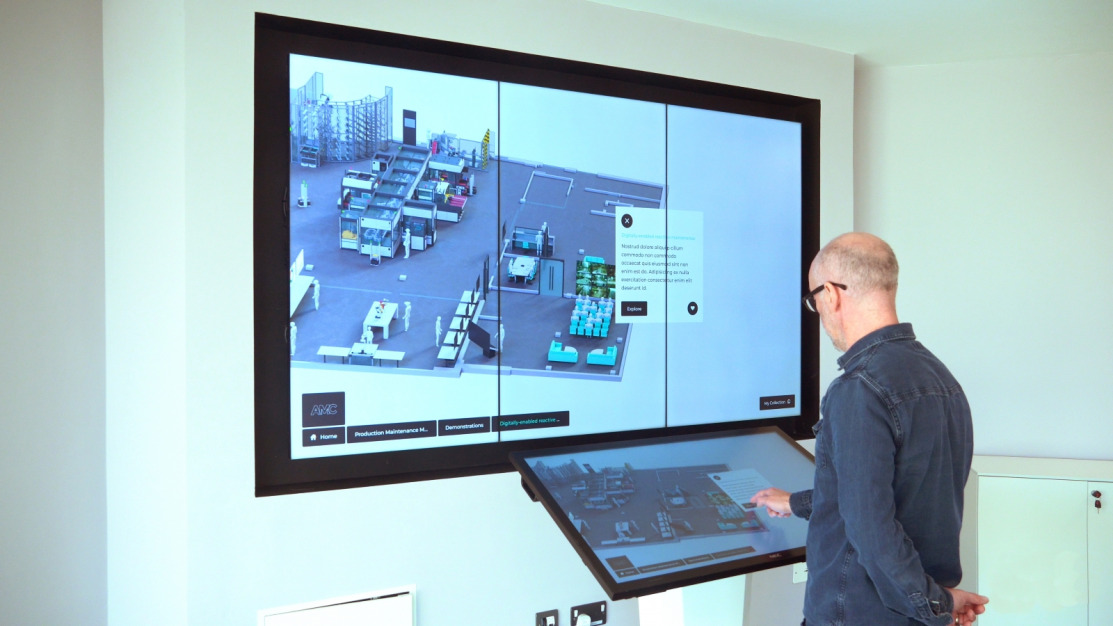
Wall-mounted touchscreens suit stands and Customer Experience Centers where floor space is tight. Mount them at a height most visitors can reach, and keep key controls in the lower half of the screen.
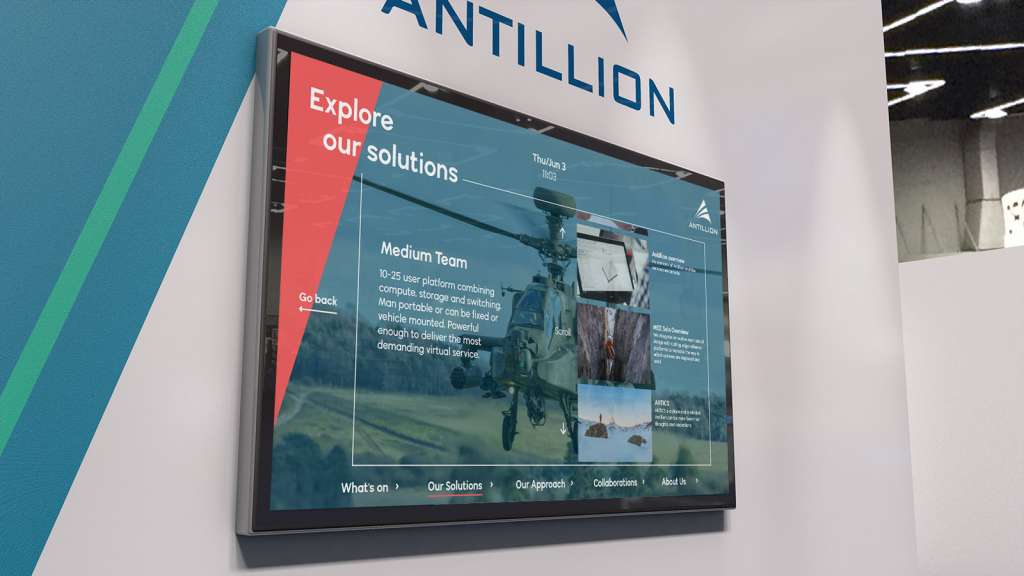
Advantages:
- They take up very little floor space as they can be mounted flat against a wall
- There’s a huge range of different options and sizes and they are very competitively priced
- They are attention-grabbing as the full screen can be visible to people
- As with all touchscreens, when not in use as a touchscreen you can display any content on them that you would on a normal display
Disadvantages:
- They can be very heavy, so will need to be securely wall-mounted on solid walls. Stands are available, but these can be bulky and not very presentable
- Not particularly private – not great for those entering private or personal information as other people can see what you are doing
- A lot of people can be self-conscious using a screen in public, especially a wall-mounted one, as everybody can see what they are doing
- In most cases, you’ll need a separate PC attached to run the experience which needs to be hidden somewhere near to the screen. Some wall-mounted touchscreens have built-in PCs which can run Windows or Android but these will probably only be powerful enough for simple experiences
- If it’s too large, it can be quite difficult for users to interact with as a touchscreen, they may have to reach around the screen and they may not be good for people with accessibility needs.
2. Freestanding kiosks
Kiosks put the screen at a comfortable height and can be moved around the stand. They give visitors more privacy, which matters: people are more willing to explore when the whole stand can’t watch them.
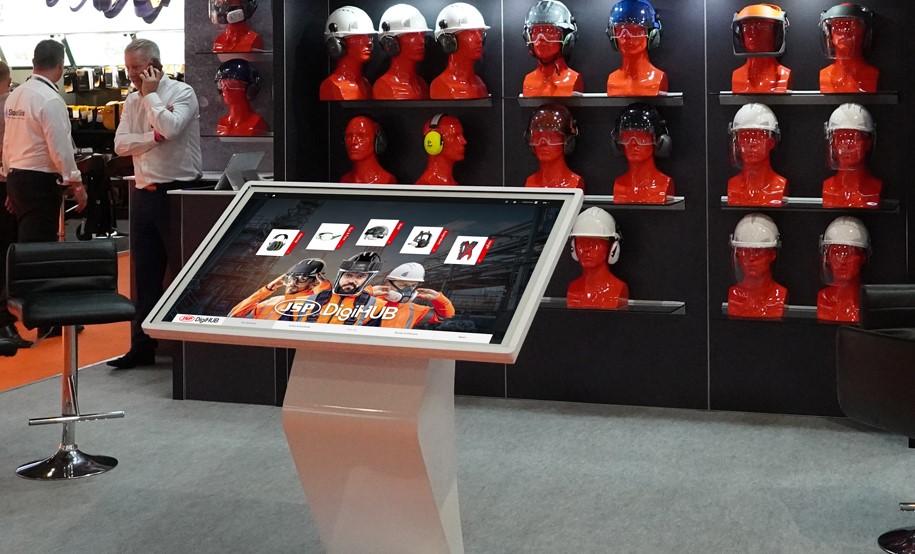
Advantages:
- Tend to be more flexible, as they can be moved around
- Are more private for a user
- Comfortable to use, as they’re not big (usually a maximum of 55”), so don’t need a user to reach around the screen and are usually waist height
- Easier to use for people with accessibility needs
- Tables are particularly impressive and good for groups and young people to use as they can stand around the screens
Disadvantages:
- Kiosks and lecterns aren’t so good for groups as only designed for one or two people to use
- Tables can be quite expensive and bulky so not easy to move around
3. Touch tables
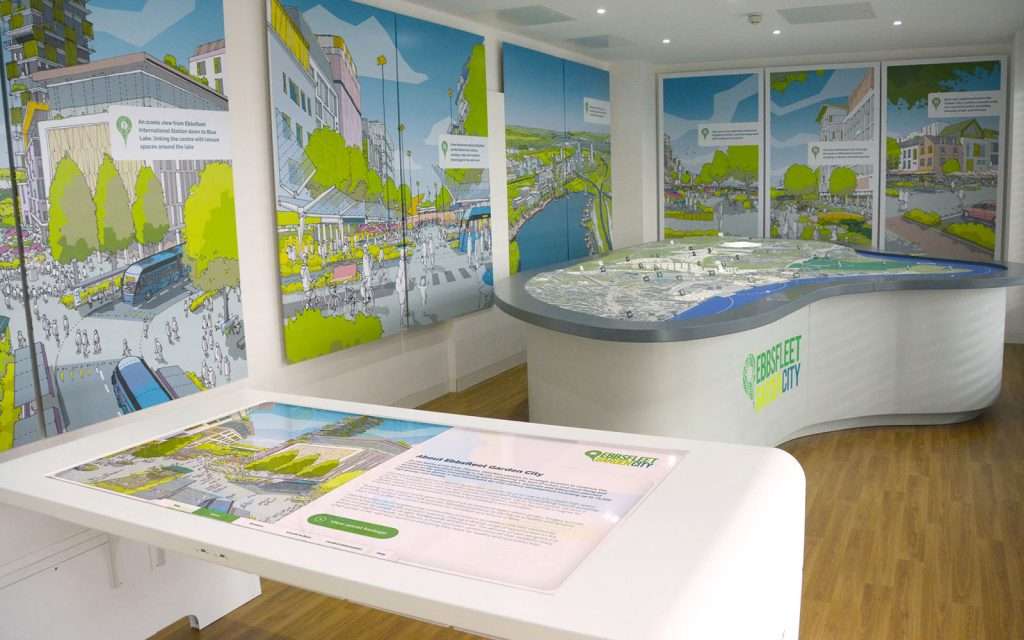
Touch tables let several people explore together, which suits group visits and product walkthroughs. They are heavy, so for international shows renting near the venue is usually cheaper than shipping.
3. Tablets
Tablets let reps lead one-to-one conversations and let visitors explore privately beside a larger screen. With popcomms, the same experience runs on tablets offline, so reps can keep using it after the show, in factories and hospitals where Wi-Fi is restricted.
Advantages:
- May feel more familiar to use than some of the other options on this list
- A convenient/easily portable size – plus, they don’t take up much space
- More private/personal – great for single users and for entering private information like an email address or phone number
- Plenty of options are reasonably inexpensive
Disadvantages:
- Perhaps less visually impressive, as they tend to be much smaller
- Not particularly good for groups
5. Video walls
Video walls attract attention across a busy hall. They work best showing large-scale visuals controlled from a nearby touchscreen or tablet, rather than as a giant touch surface.

What size touchscreen works best?
In our experience, a screen visitors can reach comfortably while standing works better than a very large one. On an oversized touchscreen, everyone on the stand can watch a visitor search for what they need, and many people walk past. A mid-size screen with tablets beside it gives visitors privacy and lets a rep present on the main screen.
What else to check
- Touch technology: PCAP screens are more responsive and handle multi-touch well; infrared screens cost less at large sizes but can be affected by bright light.
- Resolution: 4K for screens of 55 inches and above, especially for detailed 3D models and video.
- Computer: the screen needs a PC or media player, built in or hidden behind it. Heavy 3D and 4K video need enough processing power.
- Offline running: exhibition Wi-Fi is often unreliable. POPcomms experiences run offline on touchscreens and tablets.
- Rent or buy: for international shows, renting from the venue or your stand builder often costs less than shipping your own.
Next step
Help your buyers quickly make sense of complex products and solutions so they can make smarter, faster buying decisions.
Find out how you can use popcomms to support your buyers and sellers.
FAQ
What hardware do I need for an interactive touchscreen?
A touchscreen, a PC or media player (built in or separate) and a stand, mount or enclosure. With popcomms, any device with a web browser works, including Windows and Android screens, laptops and iPads.
What size touchscreen is best for a trade show?
One visitors can reach comfortably while standing, usually alongside tablets. Very large touchscreens put visitors on display to the whole stand, which puts many off.
Does popcomms work on Windows, Android and iPad?
Yes. POPcomms runs in any browser on any operating system, with nothing to install, and there is an iPad app on the App Store.
Do I need a separate PC for a touchscreen?
Only if the screen has no built-in computer. Many large touchscreens need a separate PC or media player, which can be hidden behind or inside the enclosure.
Should we buy or rent touchscreens for events?
Rent for international or occasional shows; buy for screens you use at many events or in a permanent Customer Experience Center. POPcomms licensing is per device, not per screen size.
Can an interactive experience run on a video wall?
Yes. With popcomms, a video wall can show the experience while visitors or reps control it from a nearby touchscreen or tablet.
Do you supply touchscreen hardware?
No. POPcomms is software, so you can use screens you own, rent at the venue or hire from your stand builder.

Related Posts
Network-Connected Touchscreen Kiosk Software
Read
Touchscreen Technology Boosts Booth Engagement
Read
Digital Signage Touchscreen Software Platform Guide
Read
Improve Corporate Communications With Interactive Touchscreen Experiences
Read