



Essential Features of Professional Tradeshow Touchscreen Software
Last updated: 12 May 2026
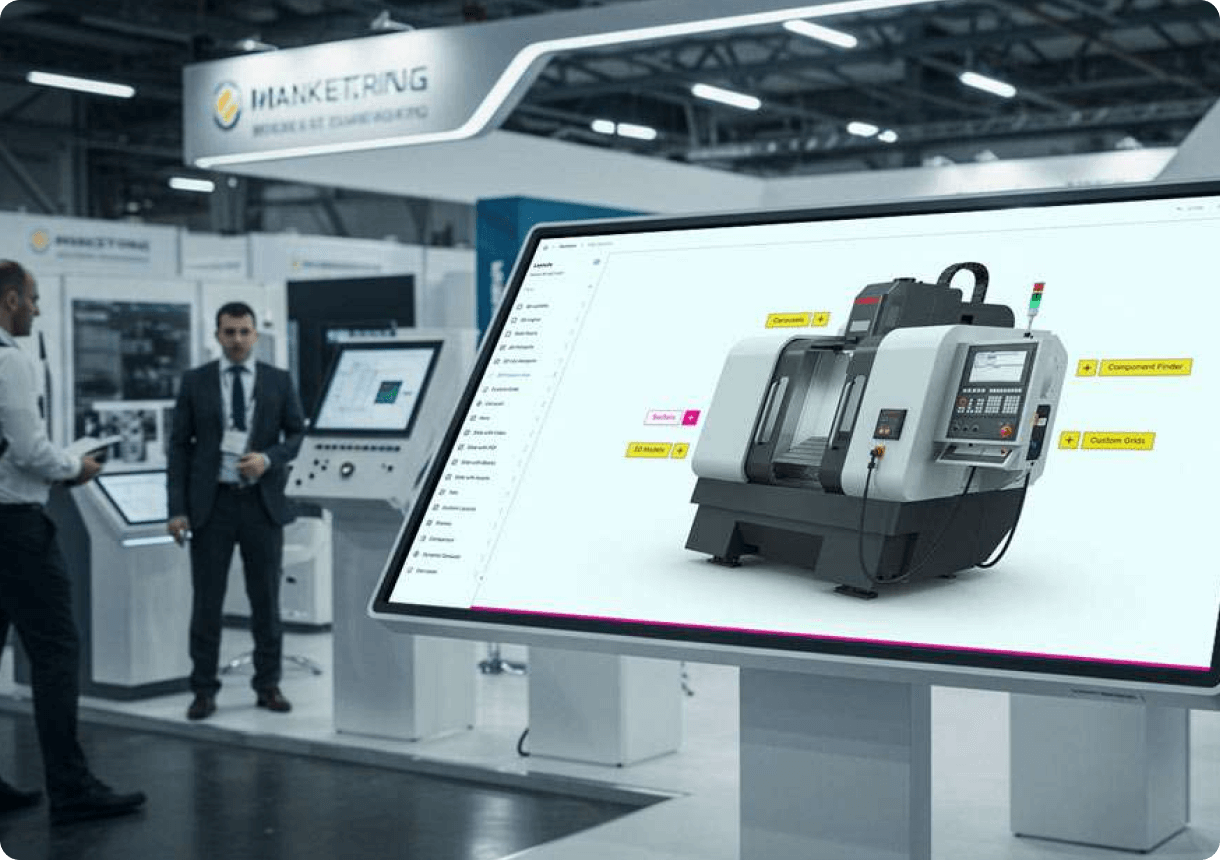
The average trade show booth visitor spends just 45 seconds engaging with static displays, yet booths with interactive touchscreens hold attention for 5 to 12 minutes, per EXHIBITOR Magazine. That’s a 10–15x increase in the window your sales team has to start a conversation. If you’re still relying on printed brochures, banners, or passive video loops, you’re leaving money on the table. Professional tradeshow touchscreen software transforms how attendees explore your brand, giving them control over content discovery while giving you visibility into what captures attention. The challenge isn’t whether interactive displays work, it’s choosing software built specifically for the tradeshow environment, not adapted from retail or hospitality. This guide walks you through the critical features that separate professional platforms from generic kiosk solutions.
Key Takeaways
- Professional tradeshow touchscreen software allows attendees to explore products and details at their own pace without waiting for a sales representative, increasing engagement by around 50%.
- Offline functionality is essential for tradeshow environments where WiFi is unreliable or unavailable, and professional software runs on-device without loss of features or content quality.
- No-code creation tools enable marketing teams to build, customize, and deploy interactive experiences without requiring developers or technical specialists, reducing time to launch from weeks to days.
- Lead capture integrated directly into touchscreen software, with the ability to send materials instantly to attendees from the booth, turns casual visitors into qualified prospects with actionable data.
Self-Guided Content Exploration and User Control
Attendees don’t want to wait for a sales rep to become available, and they don’t want to be lectured at. The most effective way to engage trade show visitors is by offering self-service touchscreen experiences that let them control what they discover and how deep they explore. This shift from passive to active participation is why 68% of trade show attendees believe booths featuring innovative technology have limitless potential, signalling that visitors actively expect and reward tech-driven experiences.
Unlike static banners or brochures, interactive displays invite participation and transform passive observers into active leads. When attendees can browse content, explore products, and drill into detail at their own pace, they feel empowered. They tap into videos, expand product galleries, zoom in on specifications, and navigate between departments or product lines on their own schedule. No training. No awkward handoff to a sales team. No feeling rushed.
Professional touchscreen software delivers this through intuitive navigation flows that mirror how people naturally explore brands, logical menu structures, gesture support (swipe, tap, pinch-to-zoom), and contextual pathways based on visitor interest. Menus are usually organized by product category, industry vertical, or use case, so visitors find what matters to them without friction.
The result is measurable: interactive elements boost engagement between visitors and exhibitors by around 50%, and 81% of attendees remember booths that feature interactive touchscreens. This retention matters long after the show ends, when attendees are evaluating solutions and your booth is the one that stands out in their memory.
Offline Capability and Event Reliability
WiFi at trade shows is notoriously unreliable, expensive, and often throttled by event organizers managing bandwidth across hundreds of exhibitors. Many exhibitors discover mid-show that their internet-dependent booth software has crashed or performs so poorly that visitors move on to competitors. A professional tradeshow touchscreen software solution must work offline without compromise.
Professional touchscreen software designed for events is built to run entirely on-device, storing all content, videos, product data, and lead capture locally so there is no dependency on WiFi for core functionality. This means your booth operates at full speed whether the event’s network is robust or struggling. Content loads instantly. Videos play without buffering. Lead capture happens immediately.
That said, modern professional software also supports optional WiFi or mobile connectivity when available for features like cloud syncing of collected leads, real-time analytics dashboards, or multi-booth synchronization. The key difference is that WiFi is an enhancement, not a requirement. Your touchscreen software should never fail because of poor event connectivity.
This is why event teams at enterprise companies prioritize offline-capable platforms. GEA, a global equipment manufacturer, deployed four touchscreens across different departments at a major trade show and noted that the ability to present unique experiences across each screen without network anxiety was critical to their booth’s success.
Intuitive, No-Code Content Creation
Five years ago, building a professional touchscreen experience meant hiring a development team, writing custom code, managing version control, and waiting weeks to see a prototype. That approach meant trade show software was expensive, inflexible, and out of reach for mid-market companies.
Modern professional software eliminates this barrier with no-code creation platforms that let marketing teams build rich, interactive experiences in a fraction of the time. No coding knowledge required. No dependencies on overbooked development resources. No waiting for backlogs to clear.
Professional no-code touchscreen software enables teams to import videos, PDFs, product images, and brochures, then arrange them into interactive layouts using drag-and-drop editors and pre-built templates, all without writing a single line of code. This democratizes software creation. Your marketing manager can build and iterate. Your product manager can add new features mid-campaign. Your sales team can suggest layout changes without a 3-week deployment cycle.
The time savings are dramatic. What once took 3-4 weeks to develop and test can now be created and customized in 2-3 days, even with multiple revisions and feedback cycles. This agility matters especially when executives request last-minute changes 10 days before the show, or when you want to test messaging variations across different booth locations.
CLD Inc, a technology solutions company, emphasized this benefit directly: they needed a solution that was truly user-friendly, something anyone on their team could pick up and use without needing coding experience or specialized training. Simplicity and accessibility were absolutely key.
Built-In Lead Capture and Direct Material Delivery
A booth that attracts visitors but fails to capture actionable lead data is a missed opportunity. Professional tradeshow touchscreen software integrates lead capture directly into the experience, so collecting contact information feels natural, not transactional.
The best implementations use lift-and-learn interaction patterns, where attendees tap a button to request more information or express interest in a specific product, then a lightweight form appears on screen. Email, name, company, phone, and custom questions can all be configured. The form submission is instant and offline, stored locally until the show ends or your team syncs results to your CRM.
But capture is only part of the value. Professional touchscreen software allows booth teams to send materials directly to attendees from the booth itself, so visitors leave with their requested content in their inbox before they walk away. This could be a product datasheet, a video link, a brochure PDF, or a custom presentation. The attendee gets instant gratification. Your team gets confirmation that the lead is warm.
Mark Currier, Director of Marketing at CLD Inc, noted that the ability to incorporate videos, PDFs, and demos made their booth stand out. Visitors loved the lift-and-learn interaction, and at the show, people were just coming up, interacting, and swiping through. The ability to send materials directly from the booth to customers proved invaluable.
Olga Bryzgalova, Marketing Manager, emphasized another critical dimension: tracking what materials were sent and opened afterward. Combined with multi-booth setups, this data becomes a powerful indicator of visitor intent and content effectiveness across different areas of your booth.
Multi-Screen Consistency and Real-Time Analytics
Larger booth footprints often feature multiple touchscreens, each focusing on a different product line, department, or use case. Without proper coordination, you end up with fragmented experiences, inconsistent branding, and data scattered across different systems.
Professional tradeshow software provides a unified dashboard where you manage all screens from a single interface. Multi-screen management works by centralizing content, branding, and lead capture settings so that every device stays synchronized with the latest updates, and all collected leads flow into a single consolidated database regardless of which screen the visitor used. Deploy updates once, they propagate instantly across all devices. Review leads from a unified dashboard.
This consistency also extends to analytics. Real-time dashboards show which content is being accessed most, how long visitors spend on each screen, where they drop off, and which lead-capture pathways convert highest. These insights are invaluable during the show for adjusting booth staffing or refreshing messaging on underperforming screens.
GEA’s experience illustrates this: with four touchscreens presenting four unique experiences across departments, they achieved significant traffic and engagement to their booth. Tracking what materials were sent and opened afterward provided critical insight into which department messaging resonated and which needed adjustment.
Hardware Flexibility and Integration Support
Professional software shouldn’t dictate your hardware choices. Different booth designs, space constraints, and visual strategies call for different form factors: large 85-inch wall-mounted displays, compact 32-inch kiosks, mid-size 55-inch stands, or even portable tablet-based solutions.
High-quality tradeshow software works across multiple screen sizes and hardware platforms, scaling the interface beautifully whether you’re deploying on Android, Windows, or specialized embedded systems. Wall-mounted displays, standing kiosks, and portable options all use the same underlying software, so your content, branding, and lead capture work consistently across your entire booth setup.
Similarly, professional software integrates with third-party tools you already use: CRM platforms, email marketing systems, event registration databases, and analytics services. The right software provider also offers direct support to help you configure integrations and enhance your booth experience rather than leaving you to troubleshoot alone.
Hardware compatibility isn’t just about screen sizes either. Professional software supports infrared touchscreen technology, capacitive touch, and hybrid touch systems, so your team isn’t locked into specific hardware suppliers or susceptible to vendor price increases. You choose the hardware that fits your booth design and budget, then deploy the software that makes it sing.
Frequently Asked Questions
What is the main advantage of touchscreen software for trade show booths?
The main advantage is engagement control transfer. Attendees can explore products, videos, and details independently at their own pace without waiting for a sales rep, increasing average booth dwell time from 45 seconds to 5–12 minutes. This creates a 10–15x longer window for meaningful conversation and 81% of attendees remember interactive booths compared to passive displays.
Can trade show touchscreen software work without an internet connection?
Yes, professional tradeshow software is designed to operate entirely offline, storing all content, videos, product catalogs, and lead capture capabilities directly on the device. WiFi is optional for cloud syncing or real-time dashboards, but core functionality never depends on internet availability, protecting you from event WiFi failures.
How long does it take to create a touchscreen experience with no-code software?
With professional no-code platforms, you can build a fully functional touchscreen experience in 2–3 days, including content import, layout design, and lead capture configuration. This replaces the traditional 3–4 week development cycle that required dedicated programmers and multiple revision cycles.
Why should I choose touchscreen software over traditional booth displays?
Booths with interactive screens draw 35% more visitors compared to traditional setups, and interactive displays increase booth dwell time by 30–40% plus lead capture by up to 35%. Interactive experiences boost engagement by around 50%, and 84% of attendees feel more confident about brands offering hands-on experiences, directly impacting post-show sales conversion.
What happens if I need to manage multiple touchscreens across different areas of my booth?
Professional software provides centralized management dashboards where you control all screens from one interface, keep branding and content synchronized across devices, and consolidate all lead capture data into a single database. You deploy updates once and they propagate instantly across every screen, simplifying both pre-show setup and real-time event management.
Building a trade show booth that actually holds visitor attention requires software specifically designed for event environments, not generic retail kiosks.
Take the next step and discover how professional touchscreen software transforms your booth experience and lead generation.

Related Posts
Showcasing Innovative Engineering Through Interactive Touchscreens
Read
Which Types of Interactive Content Can be Added to a Touchscreen Solution to Improve Sales?
Read
Professional Touchscreen Solutions for Events
Read
Affordable Touchscreen Software for Small Businesses
Read